ChatGPT for Accounting in India: Does It Work With Tally?
OpenAI wants a seat in the accounts department. On 18 November it launched ChatGPT for Accounting, a set of tools that lets ChatGPT draft invoices, match bank entries and prepare month-end reports from your own records. For anyone looking at ChatGPT for Accounting in India, though, the first question isn’t how clever it is. It’s whether it talks to Tally or Zoho Books, the software most Indian businesses actually keep their books in.
The short answer: not officially, not yet. The longer answer is more interesting, because there are workarounds, and some of them are genuinely usable today.
What OpenAI actually launched
ChatGPT for Accounting is not a separate app. It is an Accounting plugin inside ChatGPT, plus a list of partner connections to accounting software, plus a fallback called computer use for apps that don’t have a connection.
According to OpenAI’s product page and its help centre, the plugin is built for four kinds of work: turning invoices and receipts into draft entries with suggested account codes, reconciling bank statements against the ledger, checking workpapers for duplicates or missing details, and building month-end or client reports in your existing Excel format. You can save a process that worked as a reusable “skill” and run it again next month.
The help centre is clear that this lives in workspaces. ChatGPT Business members can install the plugin themselves, while on Enterprise an admin has to approve it first. Setup starts in the ChatGPT desktop app. OpenAI says the plugin itself is free to install, but what you can do with it depends on your plan.
ChatGPT for Accounting in India: the Tally and Zoho Books question
Here is the list of partner apps OpenAI names: Intuit QuickBooks, Xero, BILL, FreshBooks, Oracle NetSuite, NetSuite QuickStart, Rillet and Campfire. Notice what’s missing. There is no TallyPrime, no Zoho Books, no Busy, no Marg. For a small trader in Ludhiana or a CA’s office in Pune, that list reads like someone else’s market.
Even within the list, India isn’t the focus. Xero, which expanded its integration on 19 November, says on its own blog that its version for ChatGPT for Accounting is currently available in the US.
So what can an Indian user do? Three routes, in order of how much we’d trust them.
Route 1: upload files instead of connecting. The help centre explicitly allows working from uploaded spreadsheets and an “authorized file export”. Export your ledger, day book or bank statement from Tally or Zoho Books as Excel, upload it with the matching bank statement, and ask ChatGPT for proposed matches and exceptions. Nothing writes back into your books, which is exactly why this is the safest starting point.
Route 2: Zoho Books through its own MCP server. Zoho launched Zoho Books MCP in April 2026, and its blog says the server can connect AI tools including ChatGPT to create invoices, record expenses and run reconciliations by prompt. The catch: Zoho’s one-click connector is for Claude. For ChatGPT, Zoho says you configure your own MCP server and connect it. That is a job for whoever handles IT in your firm, not a five-minute setup.
Route 3: Tally through computer use. OpenAI’s own page says computer use lets ChatGPT help “in apps that aren’t available through a plugin”. TallyPrime runs on Windows, and OpenAI’s computer use documentation says that on Windows the feature works in the foreground: it moves the pointer and takes over the screen while it works. In practice that means you hand your PC to ChatGPT and watch. There are also community-built Tally MCP servers on GitHub, but none are from Tally Solutions, so we wouldn’t connect live company books to them.

Is it worth paying for if you run a small business?
Our take: not as a reason to sign up today, unless you already pay for ChatGPT Business for other work.
The strongest parts of the launch are the boring ones, and we mean that as praise. Bank reconciliation, coding a pile of receipts, finding the duplicate entry that throws the trial balance off by a few hundred rupees: that is where accountants lose hours every month, and OpenAI’s examples are pitched right there. Its launch page quotes US finance staff saying it saved them several hours a month on reports and journal uploads. Those are customer testimonials, not independent tests, so treat them as best-case.
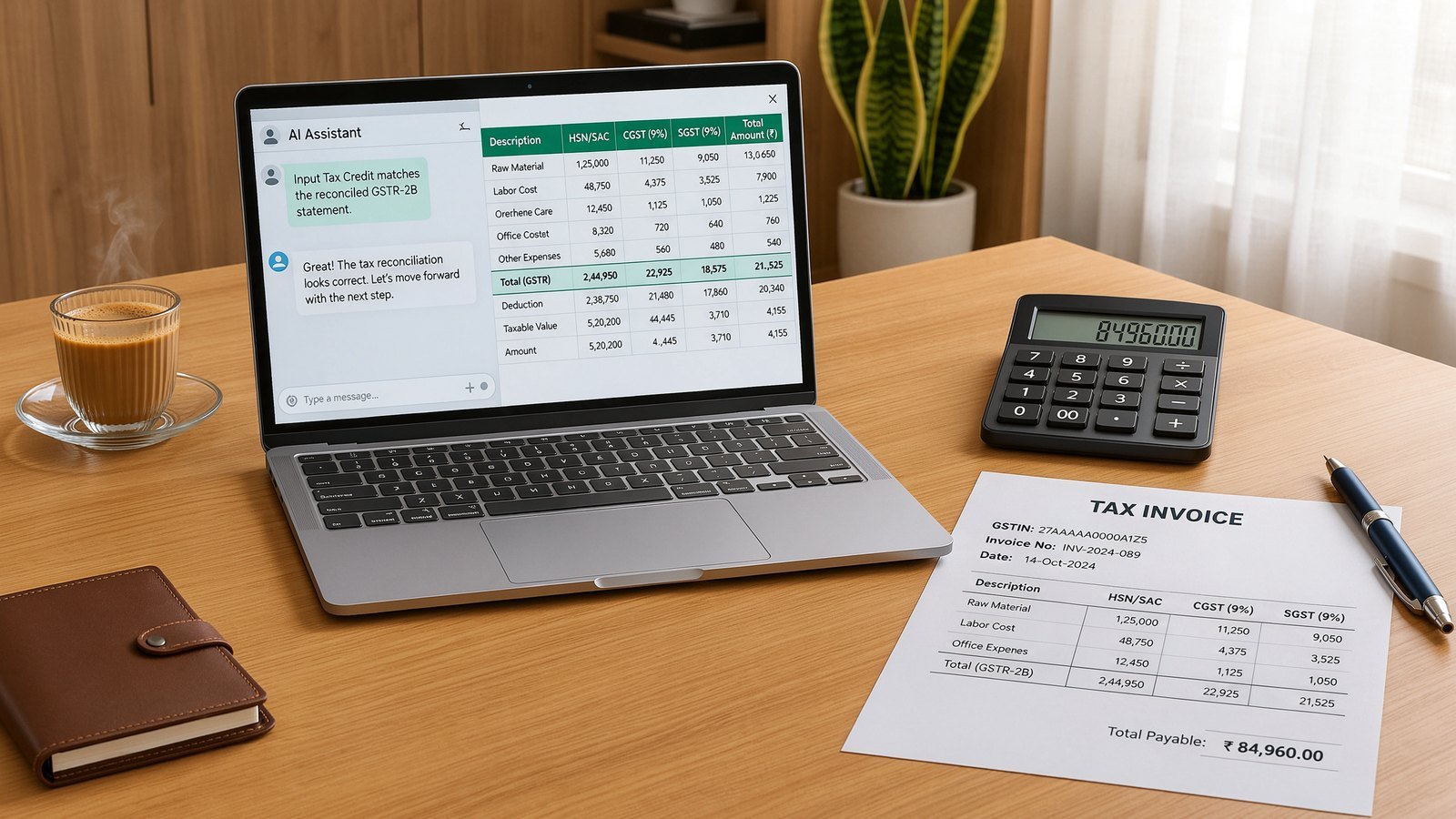
What it doesn’t understand out of the box is Indian compliance. Nothing in OpenAI’s material mentions GST, TDS, e-invoicing or the GST portal, and none of the partner apps are built around them. ChatGPT can still help you read a GSTR-2B mismatch from an exported file, but the rules have to come from you, written into your skill or your prompt. Do not let it decide whether input tax credit is claimable.
Then there’s data. OpenAI says Business and Enterprise data isn’t used to train its models by default, and admins control which apps can connect. That’s reassuring, but your clients’ PAN numbers, bank details and invoices are still leaving your office. If you are a practice handling other people’s books, get written comfort on that before uploading anything, and keep sensitive client files out of personal ChatGPT accounts entirely.
Who should try it now, and who should wait
Try it now if you use QuickBooks, Xero or NetSuite for an export business or a foreign subsidiary, or if your firm already has ChatGPT Business and spends days on month-end reconciliations. Start with uploaded files and read-only work.
Wait if your books live in Tally and you were hoping for a clean, official connection. Computer use is clever, but watching an AI click through vouchers on your only office PC is not a workflow. Zoho Books users sit in the middle: the MCP route is real, it just needs setup.
Either way, keep a human sign-off on every entry. OpenAI builds that in, and it is the right instinct. An AI that drafts a journal entry in seconds is useful. One that posts it unchecked is a problem waiting for audit season.
If agents that work across your apps are new to you, our explainer on Perplexity Teammates in India covers the same idea from another company. And for the privacy side of handing data to AI tools, see how to stop Gemini from using your data for training.
FAQ
Does ChatGPT for Accounting work with Tally?
There is no official Tally plugin. You can upload Excel exports from TallyPrime for reconciliation and reports, or try ChatGPT’s computer use on Windows, which operates the app on your screen. Community-built Tally connectors exist, but they aren’t from Tally Solutions.
Can I connect Zoho Books to ChatGPT?
Zoho says its Zoho Books MCP server can connect to MCP clients such as ChatGPT, but for ChatGPT you need to configure your own MCP server. Zoho’s ready-made connector is currently for Claude.
Is ChatGPT for Accounting free in India?
OpenAI says the Accounting plugin is free to install, but its help page describes setup inside ChatGPT Business and Enterprise workspaces, and what you can use depends on your plan. Check the plugin directory in your own workspace before paying for an upgrade.